

Order cancellation
All orders can be cancelled until they are shipped. If your order has been paid and you need to make a change or cancel an order, you must contact us within 12 hours. Once the packaging and shipping process has started, it can no longer be cancelled.
Refunds
Your satisfaction is our #1 priority. Therefore, you can request a refund or reshipment for ordered products if:
- If you did not receive the product within the guaranteed time( 45 days not including 2-5 day processing) you can request a refund or a reshipment.
- If you received the wrong item you can request a refund or a reshipment.
- If you do not want the product you’ve received you may request a refund but you must return the item at your expense and the item must be unused.
We do not issue the refund if:
- Your order did not arrive due to factors within your control (i.e. providing the wrong shipping address)
- Your order did not arrive due to exceptional circumstances outside the control of hotbuytrove.shop (i.e. not cleared by customs, delayed by a natural disaster).
- Other exceptional circumstances outside the control of https://hotbuytrove.shop
*You can submit refund requests within 15 days after the guaranteed period for delivery (45 days) has expired. You can do it by sending a message on Contact Us page
If you are approved for a refund, then your refund will be processed, and a credit will automatically be applied to your credit card or original method of payment, within 14 days.
Exchanges
If for any reason you would like to exchange your product, perhaps for a different size in clothing. You must contact us first and we will guide you through the steps.
Please do not send your purchase back to us unless we authorise you to do so.
Instant download
Your purchase will be available to download once payment is confirmed.
Instant download items don’t accept returns, exchanges or cancellations. Please contact us if you have any problems







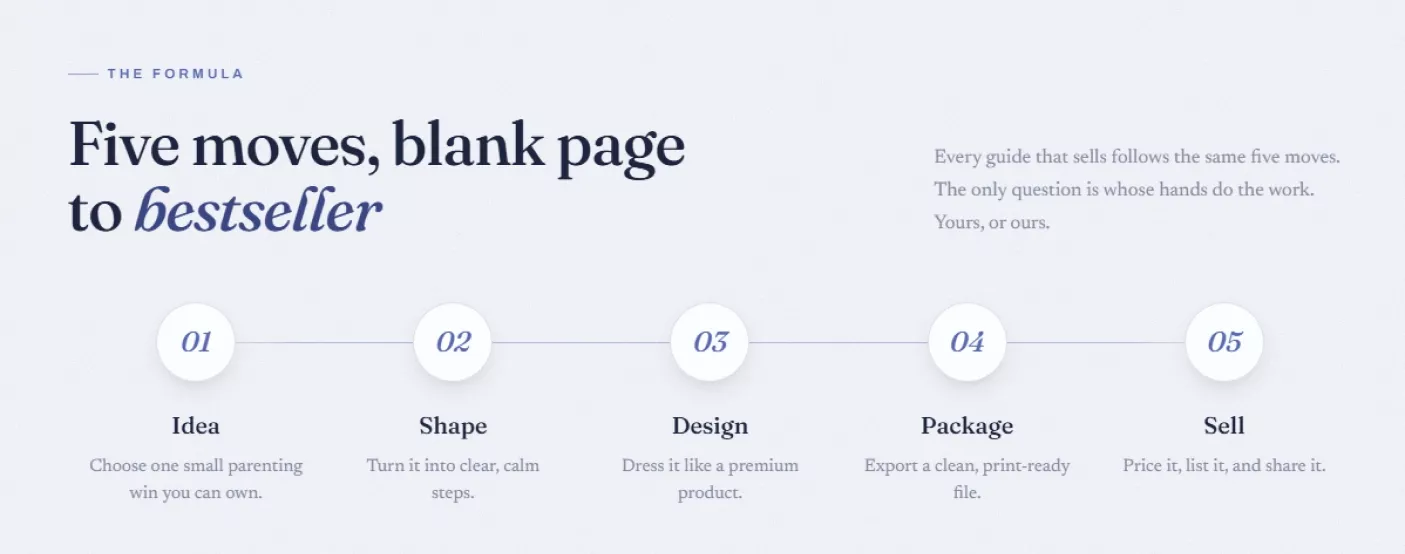
The five-move framework made an overwhelming idea feel like a checklist.
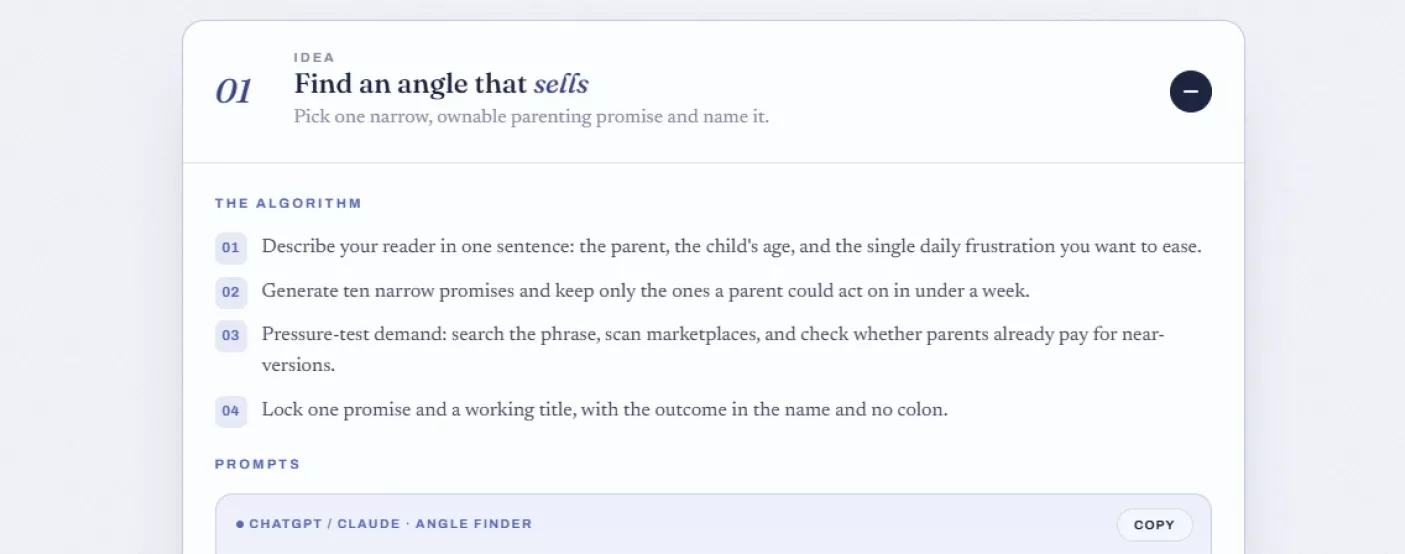
Used the angle finder prompt and had ten guide ideas ranked in minutes.
I liked that it warns you not to draft the whole book in one prompt. Chapter by chapter really is better quality.
Went the done-for-you route and just described a bedtime routine guide in my dashboard.
I've wanted to make my own digital product for over a year but every time I sat down to write it, I'd freeze up staring at a blank document. What actually got me moving was the idea chapter's insistence on picking one narrow, ownable promise instead of trying to cover everything about parenting at once. I ran the angle finder prompt describing my own daughter's toddler tantrums, got ten specific ideas back, and picked the one about calming a preschooler before daycare drop-off because that's a fight I actually win most mornings now. Drafting chapter by chapter instead of all at once, like the guide insists, kept the quality way higher than my first messy attempt at a full outline. By the time I got to design, I used the art-direction prompt to lock a soft palette and it genuinely looked like something from a real publisher, not something I cobbled together in an afternoon. I priced it at $27 exactly like the example, wrote the sales page prompt almost word for word, and posted one social hook. It sold three copies in its first week, which for a first digital product felt like proof I wasn't just imagining this could work.
The 'no colon in the title' rule is such a small but smart detail.
Genuinely useful even if you've never touched design software before.
Good system overall, though I wish the design chapter had a Canva-specific walkthrough instead of just mentioning it in passing.
The proofreader prompt catching my inconsistent spacing before I exported was a small miracle.
Print-ready HTML prompt worked shockingly well on the first try.
The done-for-you path is exactly what I needed since I have zero design instincts.
The idea of pressure-testing demand before writing a single page saved me from building something nobody wanted.
Chapter drafting prompt keeps the tone warm without sounding like an AI wrote it 📖
The whole five-move structure is clean and easy to actually follow.
I run a small parenting blog and had been meaning to turn my best posts into something sellable for ages, but every attempt fizzled because I didn't know where to start structurally. The shape chapter's rule about one small routine per chapter, with a single thing to try that same evening, gave me a template I could just fill in with content I already had rehearsed in my head from a hundred conversations with readers. I picked the outline prompt first, adjusted the seven chapters to match a picky-eater routine I already knew worked, and drafted each one separately over about four evenings. The editor pass prompt tightened everything by roughly a fifth without losing my actual voice, which I was honestly worried would happen. I used the delivery kit prompt for the subtitle and alt text since I always forget those details, and the whole thing came together into something that looked finished rather than half-baked. Watching my own scattered blog knowledge become an actual $27 product with a cover and a proper layout was a strange, proud kind of moment.
Clear system, no fluff, exactly what I needed to finally finish something.
Solid guide, though the monetization ideas section felt a little thin compared to the rest.
The art-direction spec prompt gave me a palette I never would have picked myself.
Loved that it explicitly bans medical or clinical claims in the drafting prompts.
This turned a vague idea I'd had for months into an actual finished file in a weekend.
The cover art prompt for Midjourney nailed the calm, editorial look on the first generation.
Simple, direct, and it respects that you have an actual voice worth keeping.
The social hooks prompt gave me captions that didn't sound like every other parenting post out there.
Good structure overall, just wish there were more example titles to riff off in the namer step.
Compressing under ten megabytes and naming the file properly seems tiny but genuinely mattered once I tried sharing it.
The whole idea of pricing to the outcome instead of page count reframed how I think about digital products.
My wife runs a small parenting Instagram and I'm the one who finally sat down with this guide, mostly to prove I could actually finish a project I start for once. The part that hooked me was the idea chapter's insistence on naming one specific, ownable promise instead of a vague theme, because every half-attempt I'd made before this fell apart from trying to cover too much. I used the angle finder prompt describing my wife's followers, who are mostly exhausted parents of toddlers, and picked an idea about ending the nightly negotiation over pajamas, something we deal with constantly ourselves. Drafting chapter by chapter with the editor pass prompt tightening each one kept it from turning into the rambling mess my first drafts always become. My wife handled posting it since that's her strength, using the social hooks prompt almost verbatim, and it sold to her own audience within the first two days. It's a small win, but it's the first thing I've actually finished start to finish in longer than I'd like to admit.
This is the clearest explanation of turning an idea into an actual product I've read.
The done-for-you option removed every excuse I had for not starting.
The rule about no em-dashes and no clinical tone in the chapter prompt is such a specific, useful detail.
Fast, practical, no wasted steps between idea and finished file.
I loved that the outline prompt insists on a single try-tonight action per chapter. Makes the whole guide feel usable instead of theoretical.
There's real value here in the structured prompts and the five-move framework. My only issue is a few sections repeat the same warmth-and-reassurance instruction almost word for word across multiple prompts.
The demand pressure-test step before writing anything is smart and saved me time.
Straightforward and genuinely well thought out from start to finish.
I've been sitting on an idea for a potty-training guide for almost two years, always telling myself I'd get to it eventually, and this is what finally pushed me to actually do it. The five-move breakdown made the whole process feel less like writing a book and more like filling in a form, which sounds unromantic but is exactly what I needed after years of overthinking it. I used the namer prompt to get past my own terrible working title, picked one with the outcome baked right in, and moved straight into drafting one chapter at a time instead of trying to write it all in one sitting like my past failed attempts. The print-ready HTML prompt handled the layout better than I expected from a single copy-paste, and I only had to nudge the margins slightly after printing a test page. Two years of procrastination turned into an actual finished, sellable file in about ten days, which still feels a little unreal to type out.
The whole thing reads like it was written by someone who's actually shipped digital products before.
Clean, structured, and the prompts genuinely save real time.
Good overview of both paths, though I wish the done-for-you section explained turnaround time.
The delivery kit prompt for alt text and the subtitle is such a small thing that saves real time.
This made me realize my messy Notion notes were basically already a guide waiting to happen.
Practical from the very first page, no filler at all 🙌
Loved the emphasis on drafting one chapter at a time instead of dumping the whole book on the AI at once.
Warm tone, genuinely clear steps, easy to follow.
Reads like a system a real studio actually uses, not generic advice.
I teach part-time and have always wanted to turn my classroom routine charts into something parents could buy directly, but I never had a sense of how to make it look professional rather than like a photocopied worksheet. The design chapter's insistence on locking a four-color palette and one display font before touching layout was the piece I was missing, because I used to just throw fonts together until something looked fine. I ran the art-direction spec prompt describing a calm, reassuring feel for tired parents, and the palette it handed back was better than anything I'd have chosen on my own. Building it out with the print-ready HTML prompt took an evening, and reading it on my phone the way the package step suggests caught two spots where the text felt cramped before I ever printed a page. My finished guide about morning routines for kindergartners now sits in my little store looking like it belongs next to guides that cost twice as much, and that alone has been worth doing this.
The system works, though I found the six monetization ideas a bit vague without more concrete examples.
This is the first guide that actually explains the difference between doing it yourself and having it done for you clearly.
Simple, direct, no wasted words at all.
The angle-finder prompt alone is worth the price of the whole guide.
I run a tiny online store on the side of my actual job and had tried twice before to make a digital guide, both times abandoning it around the halfway point because it started feeling like a research paper instead of something a tired parent would actually want to read. What changed this time was the specific instruction to keep each chapter to 250 to 350 words with a calm, encouraging tone and never clinical, which finally gave me permission to stop overwriting everything. I picked a narrow promise about handling sibling squabbles during car rides, something my own two kids do to me weekly, and drafted it chapter by chapter over about a week of evenings. The editor pass prompt trimmed my rambling without flattening my voice, which surprised me since past AI edits I'd tried always made everything sound the same. I finished it, priced it at $27 like the example suggests, and for the first time actually have a finished digital product sitting in my store instead of another abandoned folder on my desktop.
This is exactly the kind of structure I needed to stop overthinking my idea.
Solid overview, wanted a bit more on how to actually price beyond the $27 example.
The sales page prompt basically wrote my whole product listing for me.
The whole idea of describing your reader in one sentence before anything else is such a smart forcing function.
This is genuinely one of the more thoughtfully built product creation systems I've seen 🔥
There's real substance in the shape and design chapters especially. My only gripe is the sell chapter feels a little rushed compared to how detailed the earlier steps are.
Straightforward, well organized, no wasted reading time.
The print margins tip before exporting saved my first draft from a printing disaster.
I've dabbled in making digital products for years without ever actually finishing one, always getting stuck somewhere between having an idea and making it look like something worth paying for. What made the difference this time was treating idea, shape, design, package, and sell as five completely separate steps instead of one overwhelming project, which is exactly how this guide frames it. I used the angle finder prompt with my own toddler's refusal to eat vegetables as the jumping-off point, landed on a promise about ending dinnertime standoffs, and drafted each chapter separately over about six days, following the instruction never to ask for the whole book at once. The art-direction prompt gave me a palette and font pairing that made the whole thing feel considered rather than thrown together, and the print-ready HTML prompt handled a layout I genuinely could not have built by hand. Watching an idea I've had rattling around for two years finally become a real, print-ready file with a cover and a price tag felt like closing a loop I'd been avoiding for way too long.
Clean, practical, and genuinely respects your time as a reader.
Good system, though a worked full example from idea to finished product would help newcomers even more.
The outline prompt structure alone fixed months of my own scattered notes.
This is the calmest, most usable creative process I've followed in a while.
The done-for-you dashboard path is perfect for someone like me with zero writing confidence.
The 'describe it once and let Sellvia build it' option removed every barrier I had.
Loved how specific the design chapter gets about palette, typography, and white space.
The whole thing reads like a checklist a professional studio actually follows daily.
I spent two years telling everyone I was 'working on a guide' without ever producing an actual page, and honestly it had become a small source of embarrassment among my friends who knew about it. What finally broke the cycle was the shape chapter's demand for a skeleton first, five to seven short chapters, one small step per page, because it turned an intimidating book into a series of tiny, finishable tasks. I described my reader as an exhausted new mom dealing with the fourth trimester, ran the outline prompt, and drafted one chapter every other evening instead of trying to power through the whole thing in one sitting. The editor pass caught filler I didn't even notice I'd written, and by the time I reached the package step, reading it on my phone exactly like a tired parent would, I found two chapters that felt cramped and fixed them before printing anything. Two years of talking about it became about twelve days of actual work, and I finally have something real to show for it instead of another excuse.
Excellent structure, clean prompts, no wasted steps.
The six monetization ideas section could use one more concrete case study, but the core system is strong.
This finally gave me a repeatable formula instead of a one-off tip list.
The instruction to never ask AI for a whole book at once should be printed on every creative guide.
Genuinely well organized and easy to follow start to finish 📚
I liked the honesty about pricing to the outcome instead of the page count.
The whole system respects that parents want warmth over clinical advice, and it shows in every prompt.
Solid guide overall, though I wish there were sample cover images to compare against my own results.
The proofreader prompt is such a small addition that makes a genuinely big difference before export.
I've written parenting content for a small local newsletter for years, but turning it into an actual sellable product always felt like a completely different skill I didn't have. The design chapter's step-by-step approach to palette, typography, and layout gave me exactly the missing piece, since writing was never my problem, presentation was. I used the art-direction prompt describing a warm, trustworthy feel for parents of picky eaters, and it handed back a palette and font pairing I never would have thought to combine on my own. Laying it out with the print-ready HTML prompt took one focused evening, and printing a test page like the package chapter suggests caught a margin issue before it became an actual problem for buyers. My newsletter content, which had been sitting mostly unread in old email drafts, is now a proper $27 guide with a real cover, sitting in my store looking like something I'm genuinely proud to put my name on.
Efficient, clear, and it actually gets you to a finished product.
Good framework, wanted a bit more guidance on choosing between Canva and the HTML route.
The social hooks prompt gave me captions that actually sound like a real parent, not an ad.
This turned a scattered idea into a finished, sellable file faster than I expected.
Clean five-step structure, no wasted chapters at all.
The instruction to lock a palette and typeface before touching layout kept my design from turning into a mess.
I run a small parenting podcast and had been meaning to make a companion guide for ages, always assuming it would take a designer and a small budget I didn't have to make it look right. This system's insistence on a four-color palette and one display plus one body font, all locked before layout even starts, gave me a shortcut that didn't feel like a shortcut. I used the art-direction spec prompt describing the same calm tone my podcast already has, picked a promise about easing separation anxiety at daycare drop-off, and drafted the whole thing chapter by chapter over about a week between recording episodes. The print-ready HTML prompt handled a layout that would have taken me days to fumble through in a design tool I don't really know how to use. My listeners have already bought a handful of copies just from one mention on the show, and it genuinely looks like something a real studio made, not something thrown together between podcast episodes.
This is a genuinely thoughtful, well-built creative process.
Great system, though the pressure-testing step could use one more concrete example of what a saturated idea looks like.
The compress-under-ten-megabytes tip is such a small practical detail that actually matters.
Simple, well organized, and genuinely usable start to finish.
There's real value in the whole formula, especially the shape and package chapters. My only issue is I wanted more concrete pricing guidance beyond the single $27 example used throughout.
The whole idea of one narrow promise instead of a broad theme is the smartest piece of advice here.
Practical, warm, and it genuinely respects the reader's time 💛
I've always wanted to make something for parents but assumed I'd need actual design training to make it look premium rather than homemade. The specific prompts for locking a palette and picking Google Fonts for a display and body pairing completely removed that barrier for me. I described a reader dealing with toddler meltdowns in public, ran the outline prompt, and drafted chapters over about five days using the editor pass to tighten each one before moving forward. Reading the whole thing on my phone before printing caught one chapter that felt cramped, exactly the problem the package step warns about. Finished, it genuinely looks like something from a real publisher, which is not a sentence I expected to say about anything I've personally made.
This is the clearest, most usable creative system I've come across.
Good overall, though a few of the prompts felt slightly repetitive in wording across steps.
The whole done-for-you flow removed every excuse I had left for not starting.
This gave structure to an idea I'd been sitting on for way too long.
Loved that it explicitly bans income promises and fake urgency in the sales page prompt.
I've made a handful of failed attempts at digital products over the years, mostly abandoning them once the writing part started feeling like homework instead of something useful. What actually kept me going this time was the calm-encouraging-parent-coach voice instruction baked directly into the drafting prompt, since it kept every chapter sounding like advice from a friend instead of a textbook. I picked a promise about surviving the first week of potty training, drafted chapter by chapter over about a week and a half, and used the editor pass each time before moving forward, which kept the quality consistent instead of trailing off toward the end like my past attempts always did. The sales page prompt wrote something genuinely better than what I'd have come up with myself, warm without being pushy. Finished and priced at $27, it's now sitting in my store as the first digital product I've ever actually completed rather than abandoned halfway.
Clean, well thought out, exactly what a beginner needs.
Solid system, wish the monetization section had one more worked example.
The five moves framing made an intimidating project feel completely manageable.
This is genuinely one of the better structured creative systems I've followed.
The instruction to draft one chapter at a time instead of the whole book kept my quality consistent throughout.
Warm, clear, and genuinely respects that parents want reassurance over jargon 🌙
I've been putting off making a digital guide for over a year because every time I tried, the writing part alone took me weeks and the design part felt completely out of reach without hiring someone. This system finally broke it into pieces small enough that I stopped procrastinating, especially the shape chapter's insistence on a skeleton first before writing a single full chapter. I chose the promise of calming a toddler's fear of the dark, something my own son has struggled with, drafted it over about eight days using the editor pass on each chapter, and moved into design using the art-direction prompt for a soft, nighttime-appropriate palette. The print-ready HTML prompt handled the whole layout in one evening, something that would have taken me a week fumbling through design software I barely know how to use. A year of procrastination turned into a real, finished, sellable guide in under two weeks, and I still find that a little hard to believe.
Clean, practical, and it genuinely gets you unstuck.
Good structure overall, though the six monetization ideas felt more like a teaser than a full section.
The whole formula finally made sense of why my past attempts kept stalling out.
Simple, honest, and genuinely useful from the first page.
The art-direction spec prompt alone saved me from a design decision paralysis I've had for years.
This is the first creative system that's actually gotten me to finish something start to finish.
Genuinely solid, though I'd have liked a bit more on choosing a price beyond the single example.
The whole idea-to-sell pipeline is refreshingly free of hype or fake urgency ✨
This gave me exactly the structure I needed to stop overthinking and just build the thing.